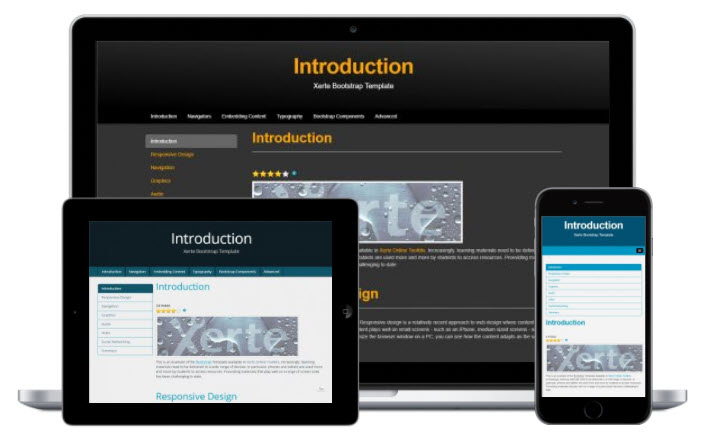
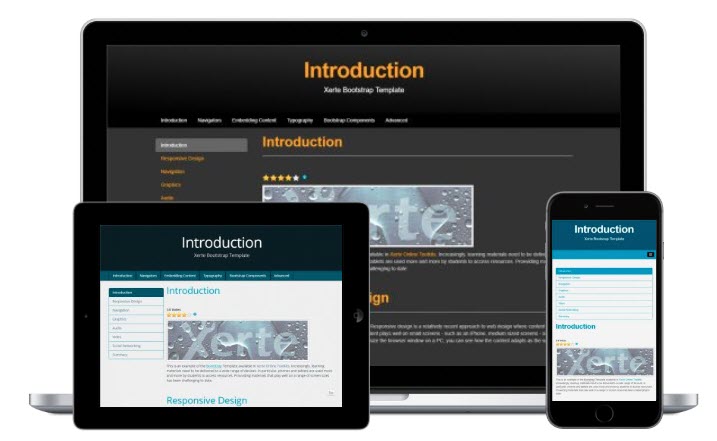
In addition to the new XOT template themes I mentioned in an earlier post, with the release of Xerte Online Toolkits v3.6 we’ve added the ability to add Bootstrap template themes to an installation and I’ve created a handful that are included in the new release. Those shown are Dark: Black & Grey, Flat:
Apereo and Flat: Blue & Grey.
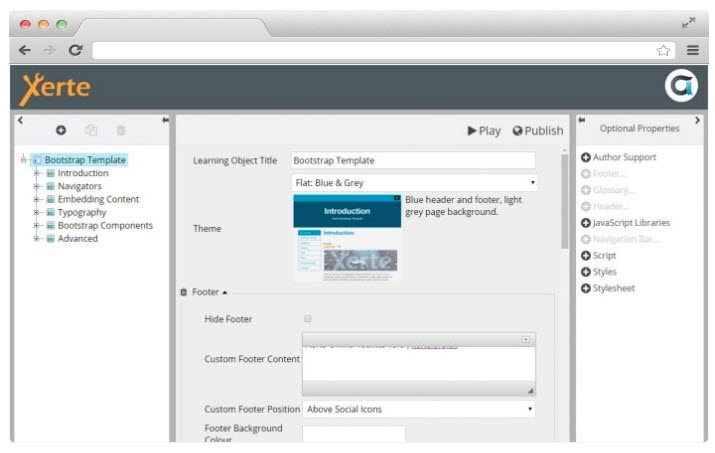
We’ve also added a raft of new options including the following:
- Footer options: add a custom footer, change the footer background colour and choose whether the custom footer appears above, below or replaces the social icons.
- Glossary options: including the ability to display a combined glossary page at the end of the LO.
- Header options: including left and right logo and image positions and also the ability to change the header image and other properties for each page.
- Navigation bar options: including background, text and hover colour and also options to display the navbar above or below the header.
- Social options: – you now have the ability to show/hide each individual sharing icon.
You can see some of these grouped options in the screenshot below.
Finally there’s also an even easier way to add XOT projects to your Bootstrap pages including control over whether to hide the header and/or footer of those XOT projects.
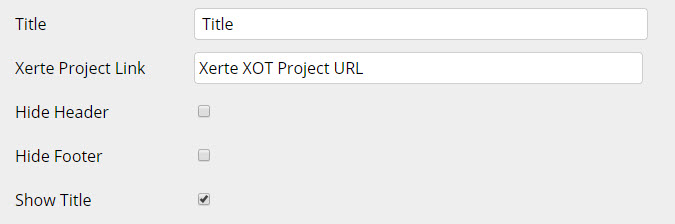
You simply have to paste in the public url to your XOT project and choose whether to hide the header and/or footer.
You might wonder why you would want to hide the footer as that contains the navigation?
Well it means you can embed a specific page by including resume= or page= in the url, or simply add a single page multiple choice interaction, or multi-question quiz, or indeed any of the XOT interactions as a single part of your bootstrap page.
I/we hope you like these new features?